

Sponsored by CreditPolicy.ai
The new MCP connector lets brokers ask sourced lender-policy questions, create client records and check or change saved deals inside compatible AI assistants.
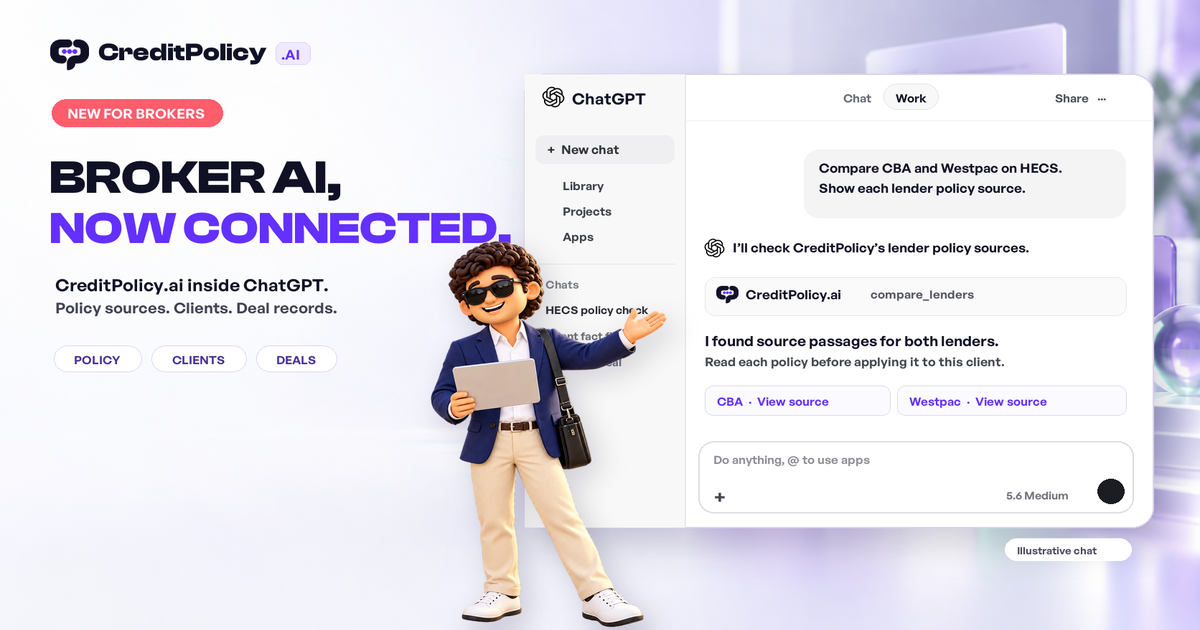
CreditPolicy.ai has introduced an MCP connector that brings its lender-policy library and selected client and deal tools into ChatGPT, Claude, Perplexity and Gemini CLI. For Australian brokers, a connected conversation can now move from a sourced policy question to a client record and then to a saved deal update.
Picture a self-employed client whose latest tax return is unfinished. You are in ChatGPT drafting the follow-up. Instead of leaving the conversation to search lender PDFs, ask: “Which lenders publish alternative income evidence options? Show me the source and what I still need to confirm.” The assistant calls CreditPolicy’s policy library and brings back cited material you can inspect before drafting the next message. MCP, or Model Context Protocol, makes that connection possible. Available actions depend on each assistant’s plan and settings.
The citation is a starting point for a check, not a shortcut around one. Read the current lender wording, confirm the facts that matter to this client and note any unresolved condition before recommending a course of action. The assistant helps bring the evidence into view; the broker decides what it means for the file.
SEE IT IN ACTION
From policy question to deal update
Explore the connected workflow and current setup steps.
See the workflow inside your AI tools
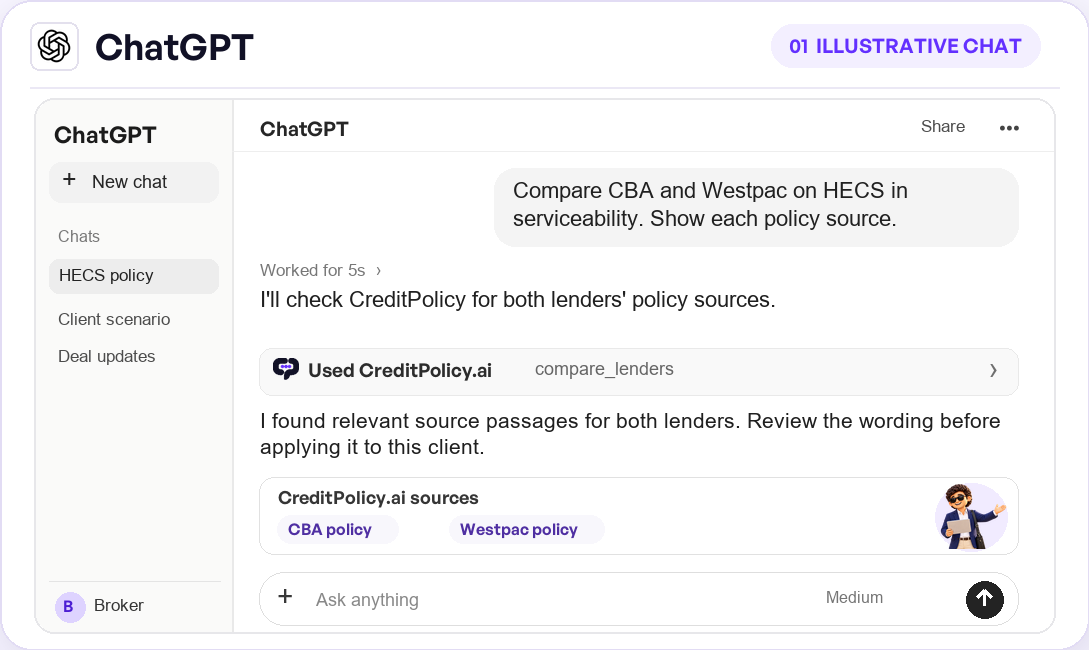
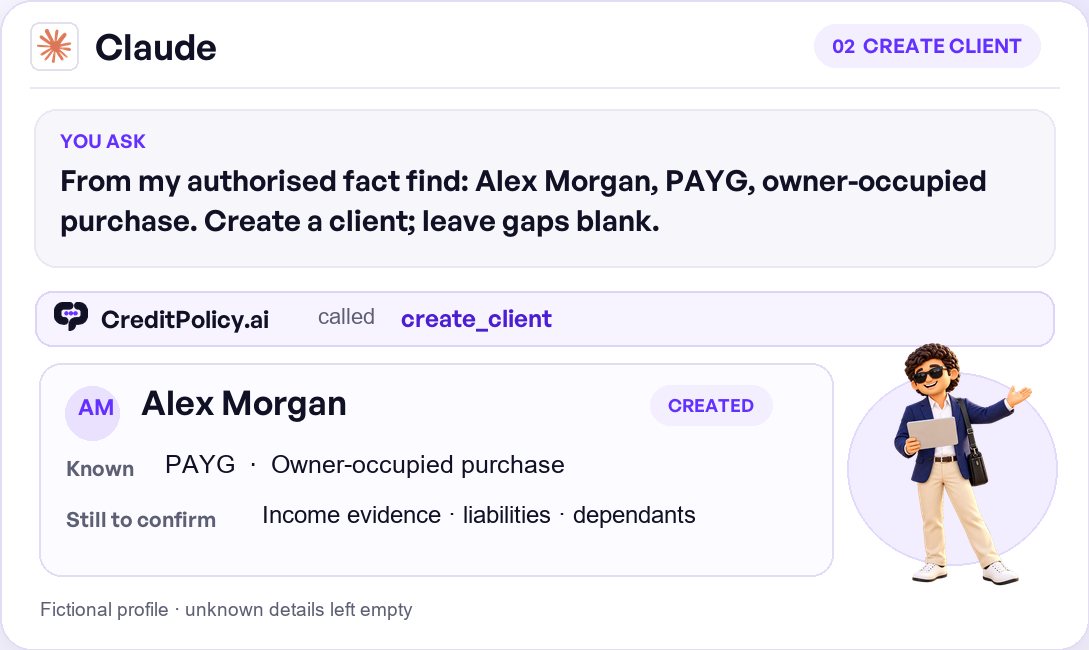
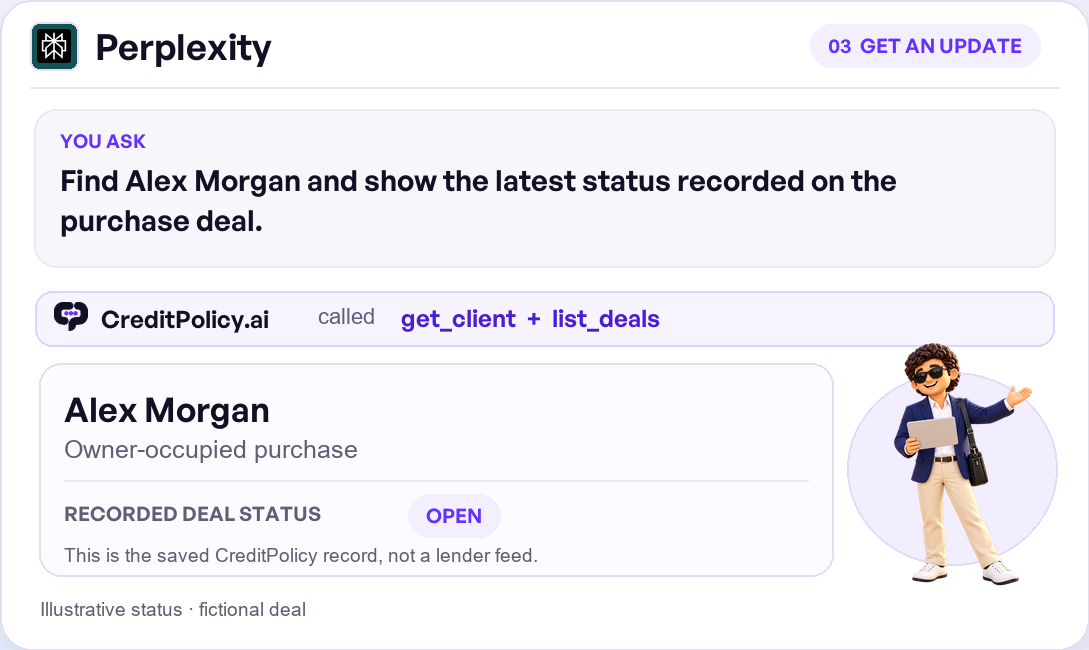
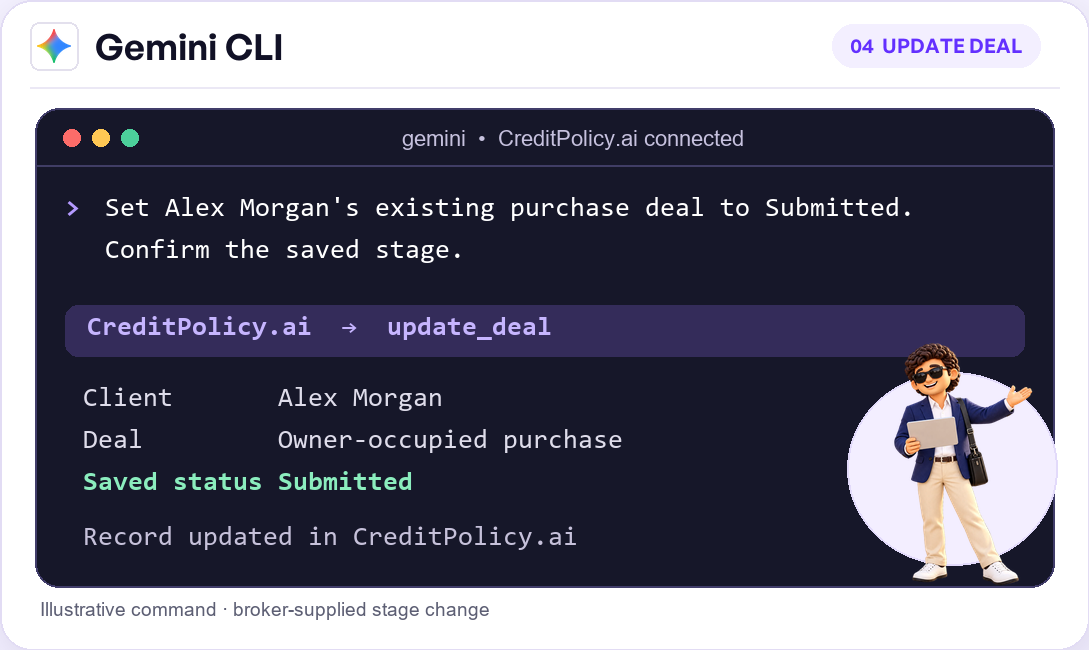
One conversation, from question to deal
The useful part is what happens after the first answer. Suppose the client agrees to proceed. In the same connected assistant, you can ask it to create a client from the reviewed fact find, including income, debts and property details. CreditPolicy exposes client creation and financial detail tools through MCP, so the information becomes a record you can reopen instead of text stranded in a chat.
Later, ask: “Open this client and tell me what is missing.” The assistant can retrieve the saved client profile and list the deals in your book. If the credit-card limit is blank or the property details have changed, the gap is visible before you rely on the scenario. You can then say, “Update the client’s card limit and change the deal status to submitted.” Supported client and deal tools change only the fields you specify. The assistant can also run an indicative scenario assessment across the panel and save the run to your CreditPolicy history.
This is practical, connected work: policy search and lender comparison, a client record, a saved scenario, then a deal update. The policy library remains read-only. MCP can create or update your own clients and deals, but it cannot delete records or access forms or billing. Broker review remains essential: an indicative match or cited policy passage is not a credit decision.
More than an MCP connector
The connector is a doorway into a broader CreditPolicy workspace built for Australian brokers:
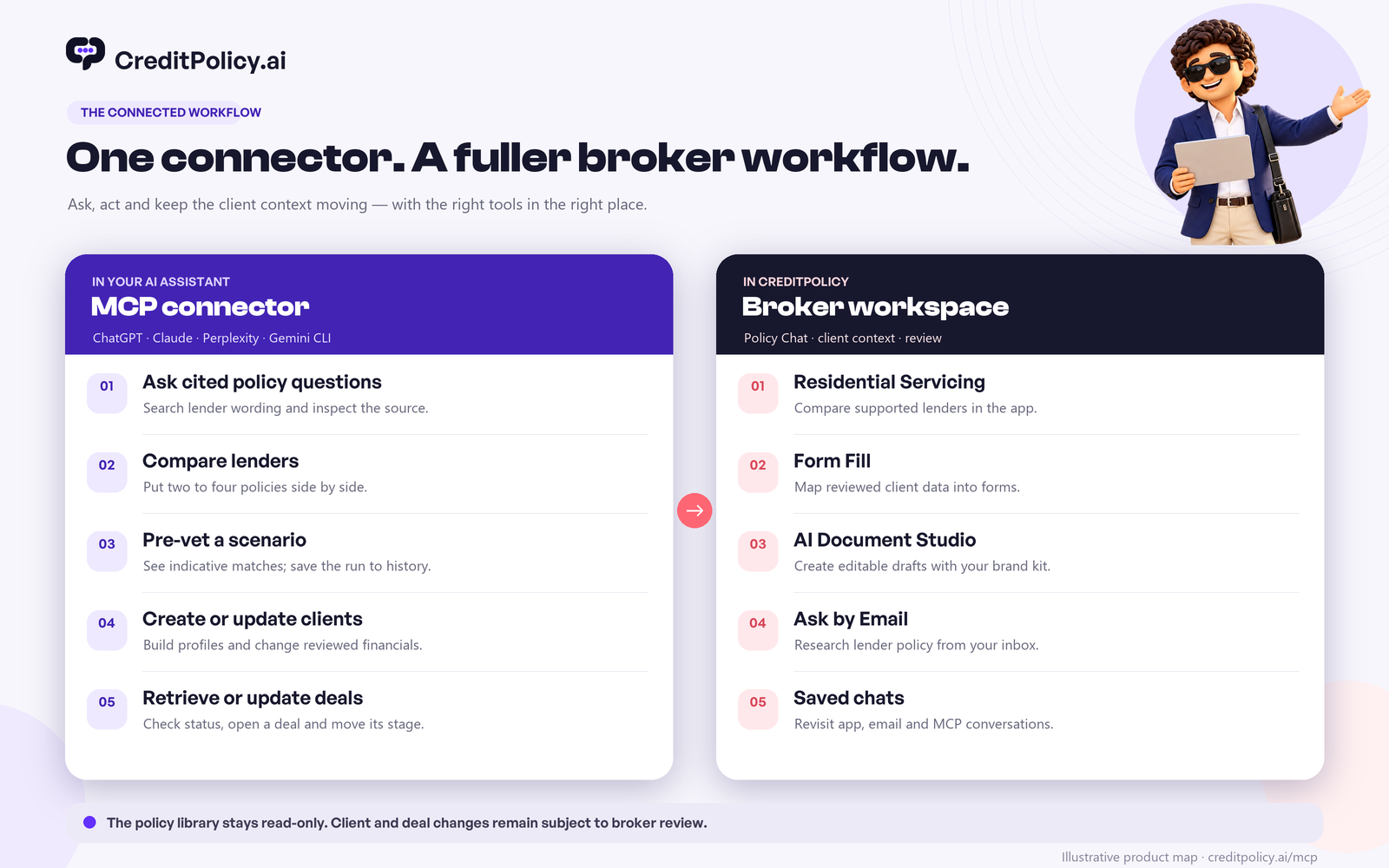
- Policy Chat: Ask plain-English lender questions and inspect supporting sources.
- Residential Servicing: Compare supported lenders in the app with assumptions and numbers visible.
- Client AI: Turn supplied notes and information into a reusable client profile.
- Form Fill: Carry reviewed client details into supported forms.
- AI Document Studio: Prepare editable drafts using your brokerage’s templates and brand kit.
- Ask by Email and saved chats: Research from your inbox and return to earlier questions.
For a broker working through several files, the value is continuity. A sourced policy answer can lead to a servicing comparison with assumptions visible, then a reviewed client profile, an editable document draft and a supported form. The connected assistant handles selected research and record actions where the conversation begins. The wider CreditPolicy workspace supports the calculations, documents and forms that follow. Saved chats and client details give you a way back into the file when the client calls again. You still choose the lender, verify the numbers and approve what leaves the brokerage.
Connect it to your assistant
Start on CreditPolicy’s MCP setup page. Copy https://creditpolicy.ai/api/mcp, then add it as a custom MCP connection in your assistant. The visual setup guide accompanying this article shows where to paste the URL and how to test the connection.
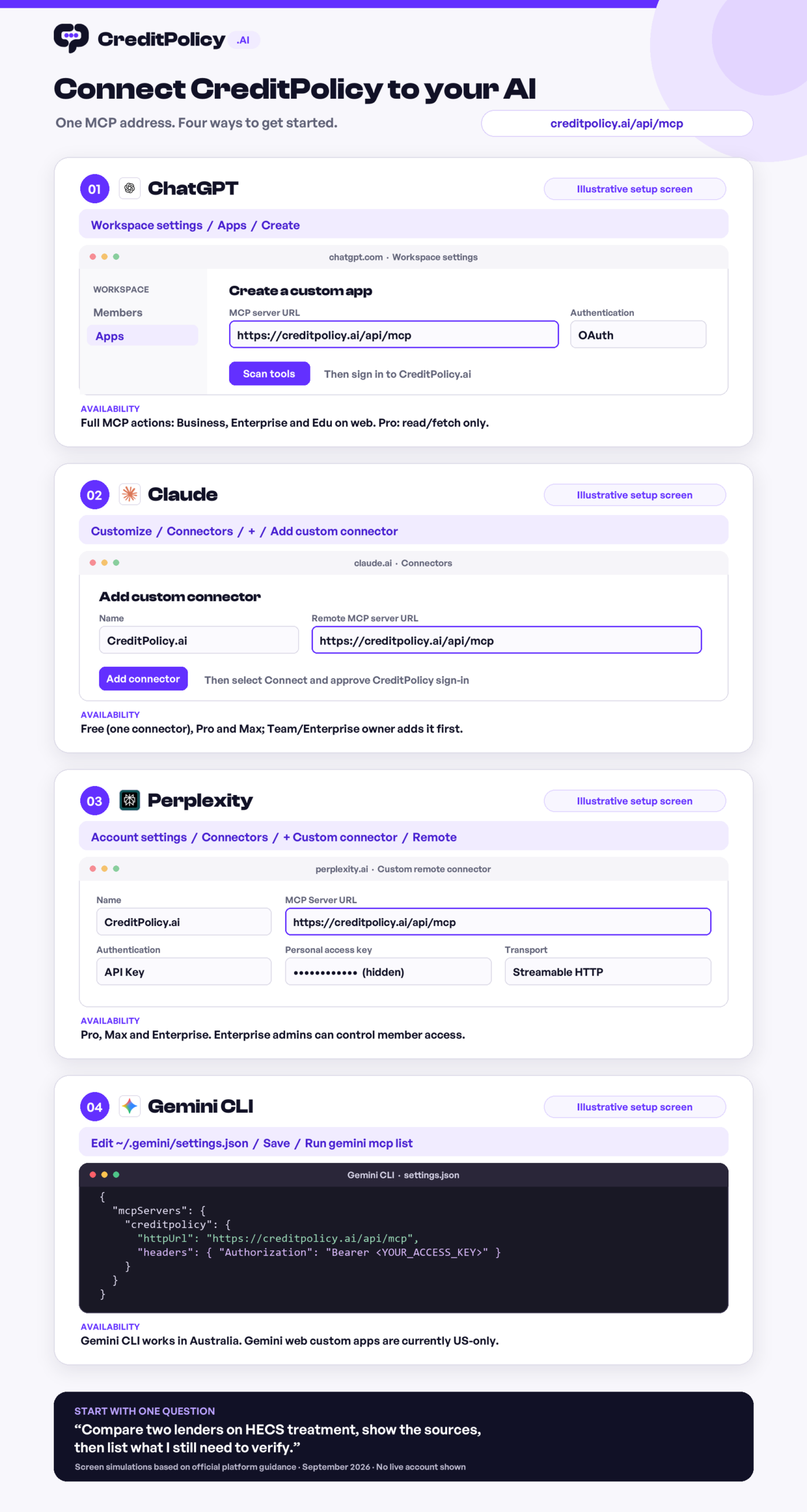
ChatGPT: On a supported web plan, create a custom app in Settings or Workspace settings → Apps, enter the server URL and complete CreditPolicy sign-in. Claude: Open Connectors → Add custom connector, enter the same URL, then sign in and approve. Managed workspaces may require an owner to enable the connection. Perplexity: On an eligible plan, add a Custom remote connector in Account settings → Connectors and authenticate with a personal CreditPolicy access key. Gemini: Use Gemini CLI as a remote HTTP MCP client with a personal access key. Check CreditPolicy’s setup page and each assistant’s guide for current plan and authentication steps.
Try a safe first prompt: “Compare CBA and Westpac on their treatment of HECS in serviceability. Cite each lender source and flag what I need to verify.” Review the sources, confirm the client facts, and decide the next move yourself. Use only client information you are authorised to process, and check the connected assistant’s privacy settings. The attraction is straightforward: less time moving information between tools, more time working the deal.
READY TO TRY IT?
Put CreditPolicy to work for your next scenario.
Explore the workspace or arrange a team walkthrough.
Create your account →Book a brokerage demo →